Fotor
by Everimaging (Chengdu Everimaging Science and Technology)
AI photo editor and design platform with a conversational AI agent, Sisi
Last reviewed 2026-06-20
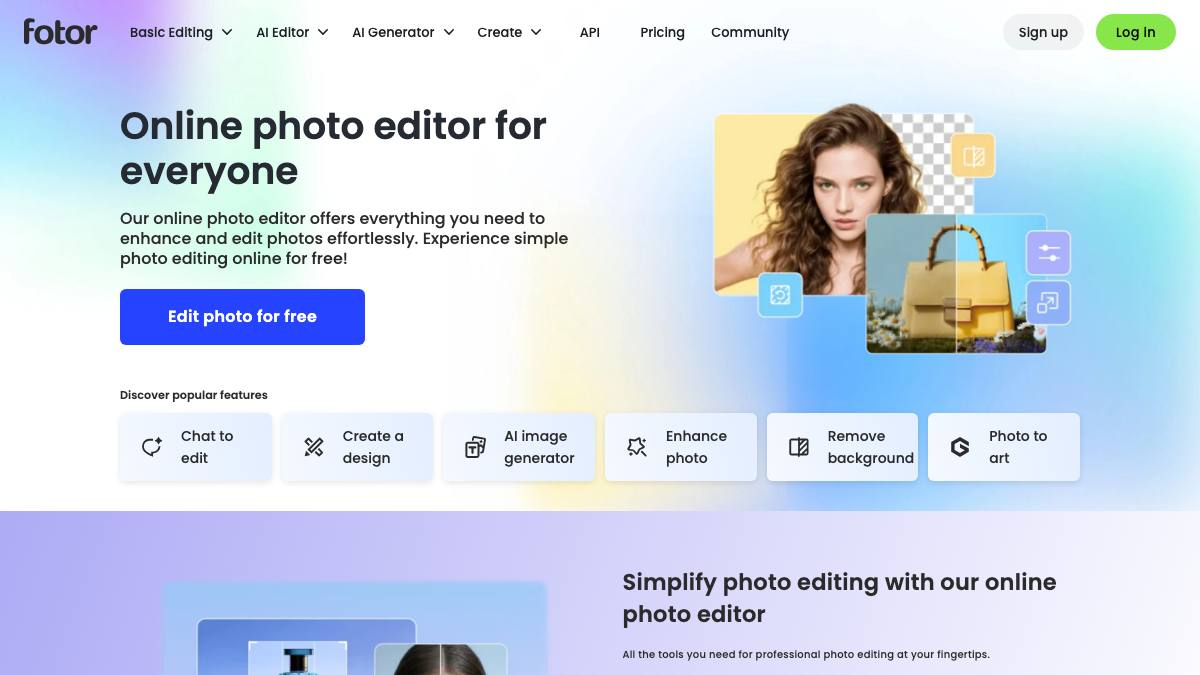
Fotor is a freemium online photo editing and graphic design platform with a large library of AI tools: AI photo enhancement, background removal, object removal, image upscaling, old-photo restoration, AI image generation, AI headshots, and template-based design. It runs in the browser and on Windows, macOS, Android, and iOS, and is aimed at consumers, creators, and small businesses who want quick edits and on-brand visuals without professional software. In August 2025 Fotor launched an AI agent branded Sisi: a conversational interface where a user describes an edit or creation in text or voice and the agent performs multi-step tasks such as removing backgrounds, applying styles, generating 3D avatars and product mockups, building posters and brand kits, and turning still images into short videos. Sisi retains image context and editing history so refinements can be made iteratively in one session. It is a copilot: the user describes the task, previews the result, and fine-tunes or regenerates, keeping creative direction in human hands.
What it can do
Conversational image and video editing (AI Agent Sisi)
CopilotSisi is a chat-based agent: the user describes an edit in text or voice and it performs the task (background change, object add/remove, style transfer, 3D avatars, product mockups, posters, brand packs, image-to-video). It retains image context and editing history so refinements happen iteratively without re-uploading. The user previews and can fine-tune or regenerate, so it operates as a copilot rather than acting unattended.
sourceOne-click AI photo enhancement
AssistantThe AI photo enhancer adjusts lighting, unblurs images, and sharpens details in one click. Fotor also offers AI upscaling (up to 4x) and old-photo restoration and colorization.
sourceAI background and object removal
AssistantRemoves or replaces image backgrounds in a few seconds and erases unwanted objects, photobombers, text, or stamps. The user brushes or selects the area and Fotor fills it.
sourceAI image generation and AI headshots
AssistantGenerates images from text prompts and produces AI headshots and synthetic faces in various styles. Output is generated on request and refined by the user.
sourceGenerative add/replace and image extender (outpainting)
CopilotThe user brushes over an area and describes what to add or replace via a text prompt, and the AI blends in the new element. The AI image extender outpaints scenes beyond the original image borders.
source
Strengths
- +Broad set of AI photo tools (enhance, background/object removal, upscale, restore, generate) in one freemium app
- +The Sisi AI agent gives a conversational, context-retaining way to chain edits in text or voice across image and video
- +Runs in the browser and on Windows, macOS, Android, and iOS with a generous free tier
Limitations
- −A copilot, not an autonomous agent: the user describes, previews, and regenerates every result
- −No public API, integrations, or agent protocols (MCP/A2A); it is a closed consumer/SMB app
- −Free tier is heavily limited (few AI agent chats, watermarked exports) and most output is metered by credits and plan tier
Overview
Fotor is an online photo editor and graphic design platform made by Everimaging (Chengdu Everimaging Science and Technology), founded in 2012 in Chengdu, China by Tony Duan. It runs in the browser and as apps on Windows, macOS, Android, and iOS, and follows a freemium model. Originally a drag-and-drop photo editor and collage maker, it has expanded into a broad suite of AI tools and, in August 2025, added a conversational AI agent branded Sisi.
What it does
Fotor's AI tools include one-click photo enhancement (lighting, deblur, detail), AI upscaling up to 4x, old-photo restoration and colorization, background removal and replacement, object removal, generative add/replace via a text prompt over a brushed area, an AI image extender (outpainting beyond the original borders), AI image generation from text, and AI headshots and face generation. Beyond AI, it bundles standard editing (crop, retouch, filters, effects), batch editing, and template-based design for posters, banners, collages, and social graphics.
The AI Agent Sisi is the newest layer. It is a chat interface: the user describes a task in text or voice (it accepts multiple spoken languages), and Sisi performs multi-step work such as removing a background, applying a creative style, generating 3D avatars and product mockups, building posters and brand kits, or turning a still image into a short video. Sisi reportedly retains image context and editing history so the user can keep refining in the same session without re-uploading. It remains a copilot: the user previews each result and can fine-tune or regenerate, keeping creative direction in human hands.
Integrations & setup
No setup beyond a Fotor account; everything runs in the browser or the mobile and desktop apps. Fotor does not publish a developer API, third-party integrations, or agent protocols such as MCP or A2A, so it is a closed consumer and small-business app rather than something you wire into a stack.
Pricing
Freemium. The free Basic tier includes limited credits, a small number of AI Agent chats, one concurrent generation, basic editing, modest cloud storage, and watermarked exports. Paid Pro and Pro+ tiers add unlimited monthly credits, many more AI Agent chats (reportedly 1,000 on Pro and 2,000 on Pro+), more concurrent generations and storage, and watermark-free exports. Per secondary sources, Pro is around $8.99/month billed annually (about $12.99 billed monthly) and Pro+ around $19.99/month; confirm current numbers on the pricing page, since the extracted official page did not surface the dollar amounts directly.
Best for / not for
Best for consumers, creators, and small businesses who want quick AI photo edits, generated images, headshots, and on-brand graphics in one affordable app, and who like describing edits to a chat agent rather than learning a pro editor. Less suited to teams needing API access, integrations, or programmatic automation, to professionals wanting pixel-precise control of a tool like Photoshop, or to anyone expecting hands-off, end-to-end automation, since Sisi is a copilot.
Alternatives
Canva AI overlaps on AI design plus image generation in a freemium app; Pixlr and Adobe Firefly compete on AI photo editing and generation; Recraft targets AI image and brand-asset generation. CapCut is the closer comparison for the image-to-video side.
What people are saying
We aggregate real LinkedIn discussion into sentiment for the agents people search most. Fotor isn't tracked yet, want it added? Request tracking.
Used this agent?
Sign in to upvote, rate, follow, or leave a comment.
FAQ
Is Fotor an autonomous AI agent?+
No. Fotor's AI Agent Sisi is a conversational copilot: the user describes the edit in text or voice, Sisi performs the multi-step task and retains context for iterative refinement, and the user previews and can fine-tune or regenerate before downloading. Creative direction stays with the human, and there is no unattended, end-to-end automation.
What is Sisi in Fotor?+
Sisi is Fotor's AI agent, launched in August 2025. It is a chat interface where you describe an edit or creation (remove a background, apply a style, generate a 3D avatar or product mockup, build a poster or brand pack, or turn a still image into a short video) and it carries it out, keeping image context and editing history across the session. It works on web and mobile.
How much does Fotor cost?+
Fotor is freemium. The free tier includes limited credits, a small number of AI Agent chats, and watermarked exports. Paid Pro and Pro+ tiers (Pro reportedly from around $8.99/month billed annually per secondary sources; confirm on the pricing page) add unlimited monthly credits, far more AI Agent chats, more storage, and watermark-free exports.
Sources
- Fotor AI Agent Sisi launches to simplify image and video creation (PR Newswire) · accessed 2026-06-20
- AI Agent for Image Editing and Creation (Fotor Sisi official page) · accessed 2026-06-20
- Features Overview (Fotor official) · accessed 2026-06-20
- AI Photo Editor (Fotor official) · accessed 2026-06-20
- Fotor pricing (official pricing page) · accessed 2026-06-20
- Fotor (Wikipedia) · accessed 2026-06-20
Last reviewed 2026-06-20