LM Studio
by Element Labs
Desktop app to discover, download, and run open-weight LLMs locally, with a local API
Last reviewed 2026-06-20
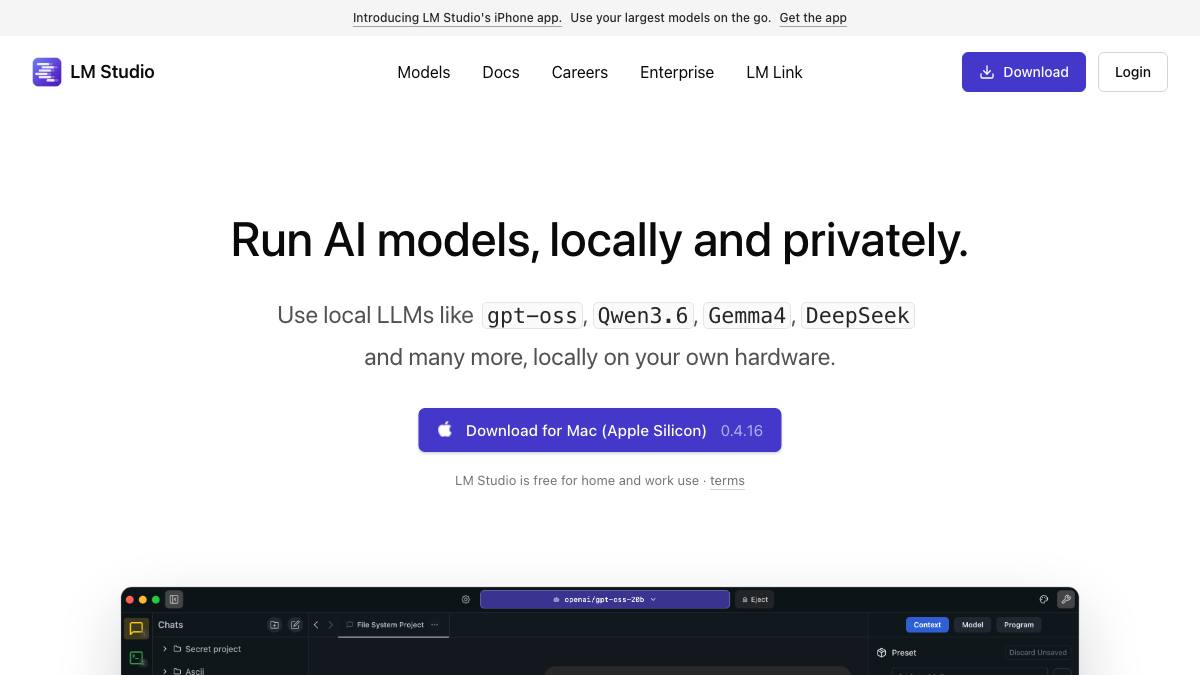
LM Studio is a desktop application for running open-weight large language models locally and privately on your own hardware. It bundles a model browser for downloading models, an in-app chat UI, and a local inference engine, running GGUF models via llama.cpp on macOS, Windows, and Linux and Apple MLX models on Apple Silicon. It also exposes a local server with an OpenAI-compatible REST endpoint (default port 1234), a command-line tool (lms), Python and JavaScript SDKs, and a headless build (llmster) for servers and CI. LM Studio is local-inference infrastructure plus a chat client, not an autonomous agent itself. It serves models and passes through model-level features such as tool/function calling, structured (JSON-schema) output, and attaching documents to chat for offline RAG, and it acts as an MCP client so you can install Model Context Protocol servers and use them with local models. Developers point IDE assistants, agent frameworks, and LLM apps at the local LM Studio endpoint to get private, offline inference. It is built by Element Labs and is free for both personal and work use, with a separate Enterprise tier for centralized administration.
What it can do
Discover, download, and run open-weight LLMs locally
AssistantIn-app model browser to find and download open-weight models (gpt-oss, Llama, Qwen, Mistral, DeepSeek and others), then run them locally; supports GGUF models via llama.cpp on all platforms and Apple MLX models on Apple Silicon, per the official docs.
sourceLocal OpenAI-compatible server and SDKs
AssistantRuns a local server exposing an OpenAI-compatible REST endpoint (default port 1234) plus an LM Studio REST API (beta), an lms CLI, Python and JavaScript SDKs, and a headless build (llmster) for servers and CI, so existing client code can target a local model.
sourceTool calling and structured (JSON-schema) output
AssistantPasses through model-level tool/function calling via the chat completions endpoint and supports structured output constrained to a JSON schema through response_format and the SDKs; LM Studio serves these, it does not act on them itself.
sourceOffline RAG and MCP client
AssistantLets you attach documents to a chat and interact with them entirely offline (RAG), and acts as an MCP client so you can install Model Context Protocol servers and use them with local models, per the official docs.
source
Strengths
- +Polished cross-platform desktop GUI (macOS, Windows, Linux) with a built-in model browser and chat, easier for non-CLI users than raw runtimes
- +Runs both GGUF (via llama.cpp) and Apple MLX models, and exposes an OpenAI-compatible local server plus Python/JS SDKs
- +Free for personal and commercial use (since July 8, 2025), private and offline by default, with an MCP client built in
Limitations
- −Infrastructure and chat client, not an agent: it serves models but does not plan, act, or orchestrate on its own
- −The core desktop app is not open source (unlike some local-runtime peers), though its SDKs and CLI are on GitHub
- −Performance and model quality are bounded by local hardware
Overview
LM Studio is a desktop application for discovering, downloading, and running open-weight large language models locally and privately. It bundles a model browser, an in-app chat UI, and a local inference engine. It runs GGUF models via llama.cpp on macOS, Windows, and Linux, and Apple MLX models on Apple Silicon. It also exposes a local server, an lms CLI, Python and JavaScript SDKs, and a headless build (llmster) for servers and CI. It is built by Element Labs (founded 2023, New York).
What it does
From the in-app browser you download models (gpt-oss, Llama, Qwen, Mistral, DeepSeek, and more) and chat with them offline. The local server exposes an OpenAI-compatible REST endpoint (default port 1234) plus an LM Studio REST API (beta), so existing client code can target a local model with a one-line base-URL change. LM Studio passes through model-level tool/function calling and structured (JSON-schema) output, lets you attach documents for offline RAG, and acts as an MCP client so you can install Model Context Protocol servers and use them with local models. It serves these capabilities; it does not act on them itself.
Integrations & setup
Install the macOS, Windows, or Linux build, then download a model from the in-app browser and load it. Use the chat UI, or start the local server and point an IDE assistant, agent framework, or LLM app at the OpenAI-compatible endpoint. The lms CLI, Python and JavaScript SDKs, and the headless llmster build cover scripting and server deployments. Models come from the Hugging Face ecosystem in GGUF and MLX formats.
Pricing
LM Studio is free for both personal and work use. Element Labs removed the prior separate commercial-license requirement on July 8, 2025, per its blog. A separate Enterprise plan (with features such as SSO and model/MCP gating) is available for organizations that need centralized administration, contact sales for pricing.
Best for / not for
Best for developers and teams who want a polished desktop app for private, offline inference over open-weight models, including non-CLI users who prefer a GUI, and as a local backend for agents and IDE assistants. Not a turnkey agent or hosted product, the core app is not open source, and performance is bounded by local hardware.
Alternatives
Ollama is the closest peer as a local model runtime with an OpenAI-compatible API, differing mainly in being open source and CLI-first versus LM Studio's GUI-first desktop experience. For building agents and RAG on top of a local model, framework-level tools such as LlamaIndex apply.
What people are saying
We aggregate real LinkedIn discussion into sentiment for the agents people search most. LM Studio isn't tracked yet, want it added? Request tracking.
Used this agent?
Sign in to upvote, rate, follow, or leave a comment.
FAQ
Is LM Studio free?+
Yes. LM Studio is free for both personal and work use; Element Labs removed the previous separate commercial-license requirement on July 8, 2025, per its blog. There is a separate Enterprise plan (with features such as SSO and model/MCP gating) for organizations that need centralized administration, contact sales for pricing.
Is LM Studio an AI agent?+
No. LM Studio is a desktop app for running open-weight LLMs locally plus a local OpenAI-compatible server. It passes through model features such as tool calling, structured output, and MCP, but it does not plan or act autonomously on its own. You build an agent on top by pointing a framework or assistant at the local LM Studio endpoint.
What models and formats does LM Studio run?+
Open-weight models such as gpt-oss, Llama, Qwen, Mistral, and DeepSeek. It runs GGUF models through llama.cpp on macOS, Windows, and Linux, and Apple MLX models on Apple Silicon Macs, per the official docs.
Sources
- LM Studio (official site) · accessed 2026-06-20
- LM Studio Docs (app) · accessed 2026-06-20
- Tool Use (LM Studio developer docs) · accessed 2026-06-20
- LM Studio is free for use at work (LM Studio blog) · accessed 2026-06-20
Last reviewed 2026-06-20