Filmora
by Wondershare
Wondershare's AI video editor with copilot editing and generation tools
Last reviewed 2026-06-20
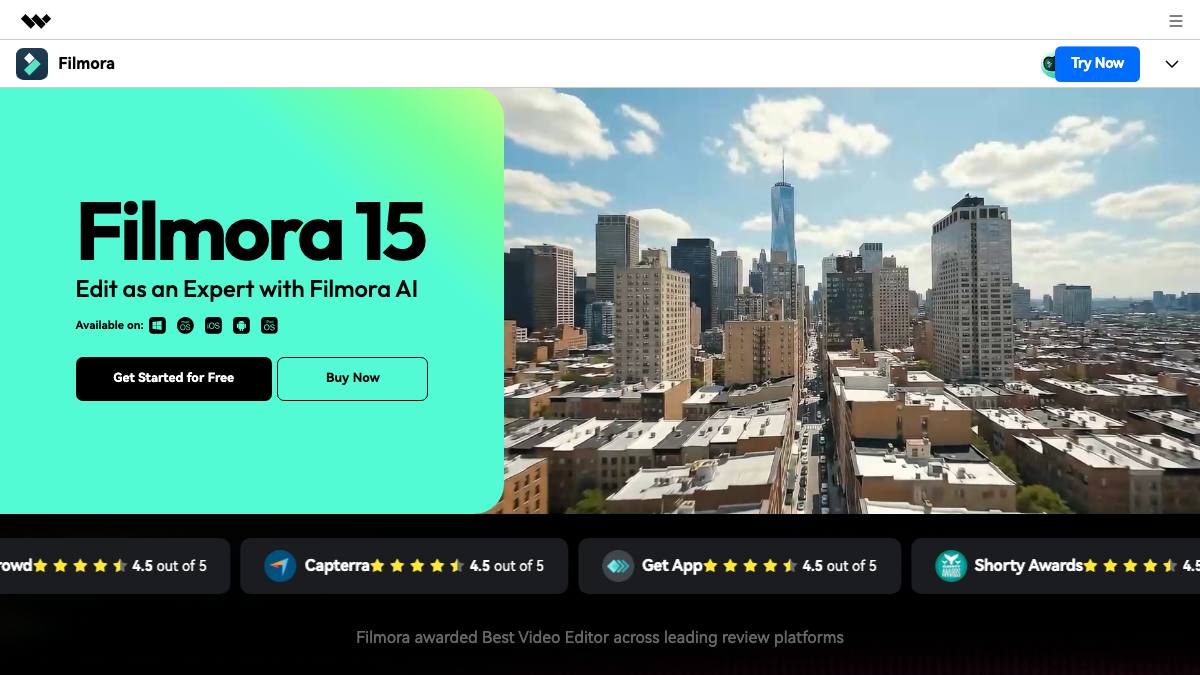
Filmora is Wondershare's consumer and prosumer video editor for Windows, macOS, iOS, Android, iPad, and the web. It pairs a conventional timeline editor with a large stack of AI features: AI Copilot Editing (which analyzes a clip and suggests edits), text-based editing, text-to-video and image-to-video generation (built on Google's Veo 3.1 model), smart cutout and masking, object removal, AI music and sound-effect generation, text-to-speech, speech-to-text captions, vocal removal, audio denoise, AI video translation, and Smart Short Clips for turning long videos into shorts. Filmora is aimed at YouTubers, social-media creators, small businesses, and casual editors who want template-driven editing with AI shortcuts. Wondershare launched Filmora in 2010 and has layered AI features on top of the timeline since around 2023. Most of its AI tools are human-driven: the user supplies footage or a prompt and reviews, tweaks, and exports the result, so it operates as a copilot rather than an autonomous agent.
What it can do
AI Copilot Editing
CopilotAnalyzes a video and surfaces tailored editing recommendations (cuts, effects, adjustments) that the user accepts or ignores; it suggests rather than acts on its own.
sourceAI text-to-video and image-to-video
AssistantGenerates video clips from a text prompt or animates a still image, reportedly using Google's Veo 3.1 model, with 1080p output dropped onto the editing timeline.
sourceAI Smart Cutout and Smart Masking
CopilotRemoves unwanted objects, swaps or removes backgrounds without a green screen, and outlines subjects for targeted edits; the user reviews each result.
sourceAI audio: music, sound effects, TTS, captions, denoise
AssistantGenerates royalty-free music and sound effects, converts text to spoken voiceover, transcribes speech into subtitles, removes vocals, and denoises audio.
sourceSmart Short Clips and AI video translation
CopilotReformats long-form footage into captioned short clips for social platforms and translates spoken video across languages; output passes through user review before export.
source
Strengths
- +Very broad AI toolset (copilot editing, generation, audio, captions, translation) inside one timeline editor
- +Available across Windows, macOS, iOS, Android, iPad, and web
- +One-time perpetual license option (~$79.99), unusual among AI video tools that are subscription-only
Limitations
- −Consumer/prosumer focus, not built for teams, approval workflows, or hands-off publishing
- −Free trial watermarks exported files; AI generation features consume limited credits
- −No public API, MCP, or developer protocol, so it cannot be driven programmatically by an agent
Overview
Filmora is Wondershare's AI video editor, available on Windows, macOS, iOS, Android, iPad, and the web. Wondershare (founded 2003, Shenzhen) launched Filmora in 2010 as a beginner-friendly timeline editor that gained traction with YouTubers, and has layered a deep stack of AI features on top of it in recent years. It targets creators, social marketers, small businesses, and casual editors who want template-driven editing with AI shortcuts.
What it does
Filmora combines a conventional timeline editor with a large AI toolset. AI Copilot Editing analyzes a clip and recommends edits the user can accept. AI text-to-video and image-to-video generate footage from a prompt or a still image, reportedly using Google's Veo 3.1 model at 1080p. Smart Cutout and Smart Masking remove objects, swap backgrounds, and outline subjects. Audio tools cover AI music and sound-effect generation, text-to-speech, speech-to-text captions, vocal removal, and denoise. Smart Short Clips turn long videos into captioned shorts, and AI video translation localizes spoken content. Across these, the user supplies input and reviews output, so the AI assists rather than acts independently.
Integrations & setup
Filmora installs as a desktop app (Windows/Mac), runs as mobile and iPad apps, and offers web access. It exports directly to YouTube, TikTok, Instagram, and Vimeo. There is no public API, MCP, or developer protocol; it is an end-user product, not an agent platform.
Pricing
Freemium. A free trial is functionally complete but watermarks exported files. The Windows individual plans include $49.99/year, a $79.99 one-time perpetual license (lifetime access to the purchased version), and a $19.99/month option; cross-platform and Mac pricing differ slightly. AI generation features consume limited credits. Prices vary by promotion and region, so check the official store page.
Best for / not for
Best for individual creators, YouTubers, and small businesses who want an all-in-one editor with a broad AI toolkit and a one-time-purchase option. Not built for team approval workflows, programmatic/API use, or fully hands-off autonomous publishing.
Alternatives
CapCut is the closest free competitor with a similar AI-editor stack; Descript offers transcript-based editing; Runway covers generative video; OpusClip focuses on long-form-to-shorts repurposing; HeyGen focuses on AI avatar/presenter video.
What people are saying
We aggregate real LinkedIn discussion into sentiment for the agents people search most. Filmora isn't tracked yet, want it added? Request tracking.
Used this agent?
Sign in to upvote, rate, follow, or leave a comment.
FAQ
Is Filmora an AI agent?+
Not really. Filmora is a video editor with a large stack of AI features (copilot editing, text-to-video, smart cutout, AI music, captions, translation). Its AI assists or automates individual editing steps, but the user drives the workflow and reviews output before export, so it sits at the copilot level rather than acting as an autonomous agent.
Who makes Filmora?+
Wondershare, a software company founded in 2003 and headquartered in Shenzhen, China. Wondershare launched Filmora in 2010 and has added AI editing and generation features on top of its timeline editor in recent years.
How much does Filmora cost?+
There is a free trial that watermarks exports. Paid options on the Windows individual plan include $49.99/year, a $79.99 one-time perpetual license, and a $19.99/month plan; cross-platform and Mac pricing differ slightly. AI generation features draw on limited credits.
What AI model powers Filmora's text-to-video?+
Filmora's AI text-to-video and image-to-video features reportedly use Google's Veo 3.1 model, with 1080p output that drops onto the editing timeline. Other AI tools (cutout, music, captions, translation) use Wondershare's own and partner models.
Sources
- Filmora AI Features (official) · accessed 2026-06-20
- Filmora Windows individual plans and pricing (official) · accessed 2026-06-20
- What's new in Wondershare Filmora (official) · accessed 2026-06-20
- Wondershare Filmora 13.6 AI features (TechRadar) · accessed 2026-06-20
- Wondershare Technology Group company profile (Tracxn) · accessed 2026-06-20
Last reviewed 2026-06-20